Dashboard
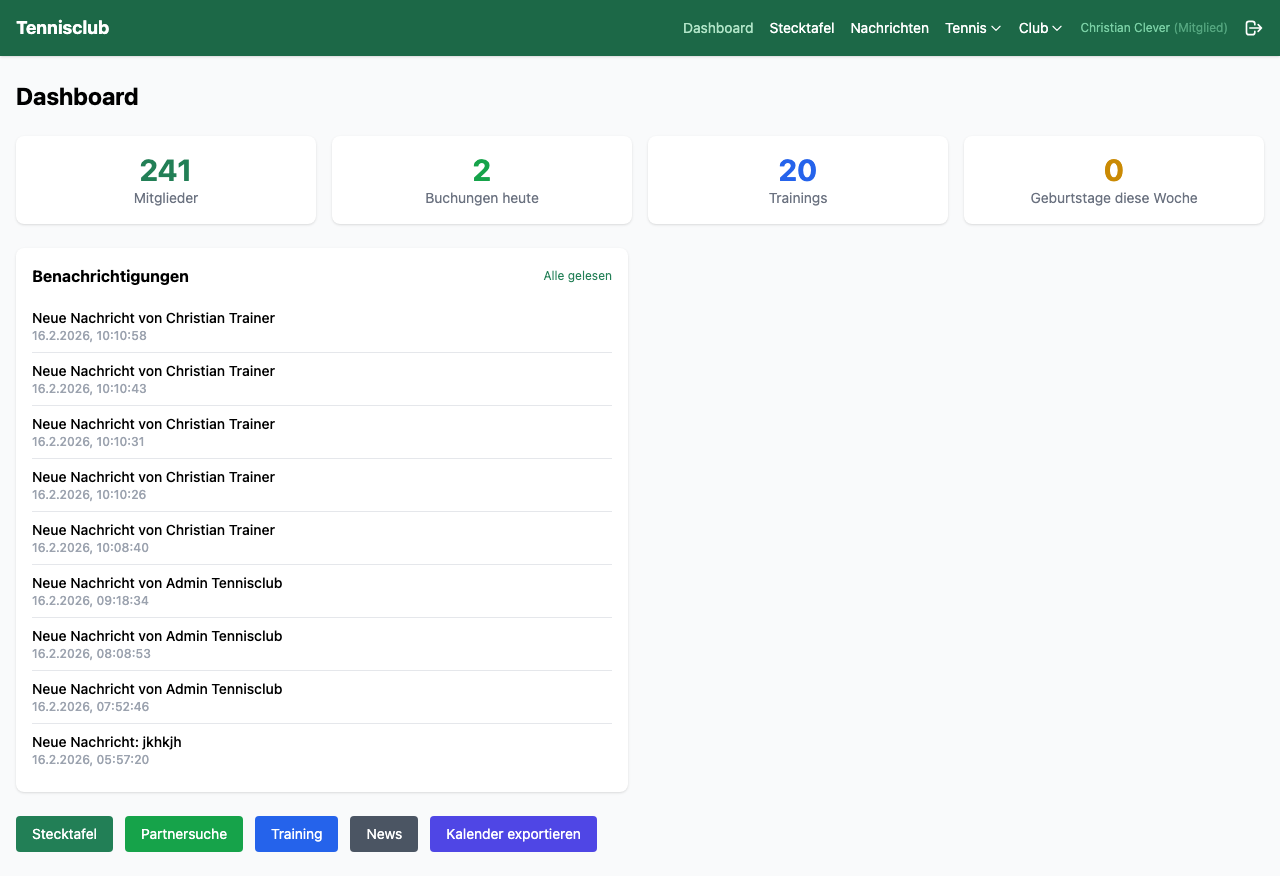
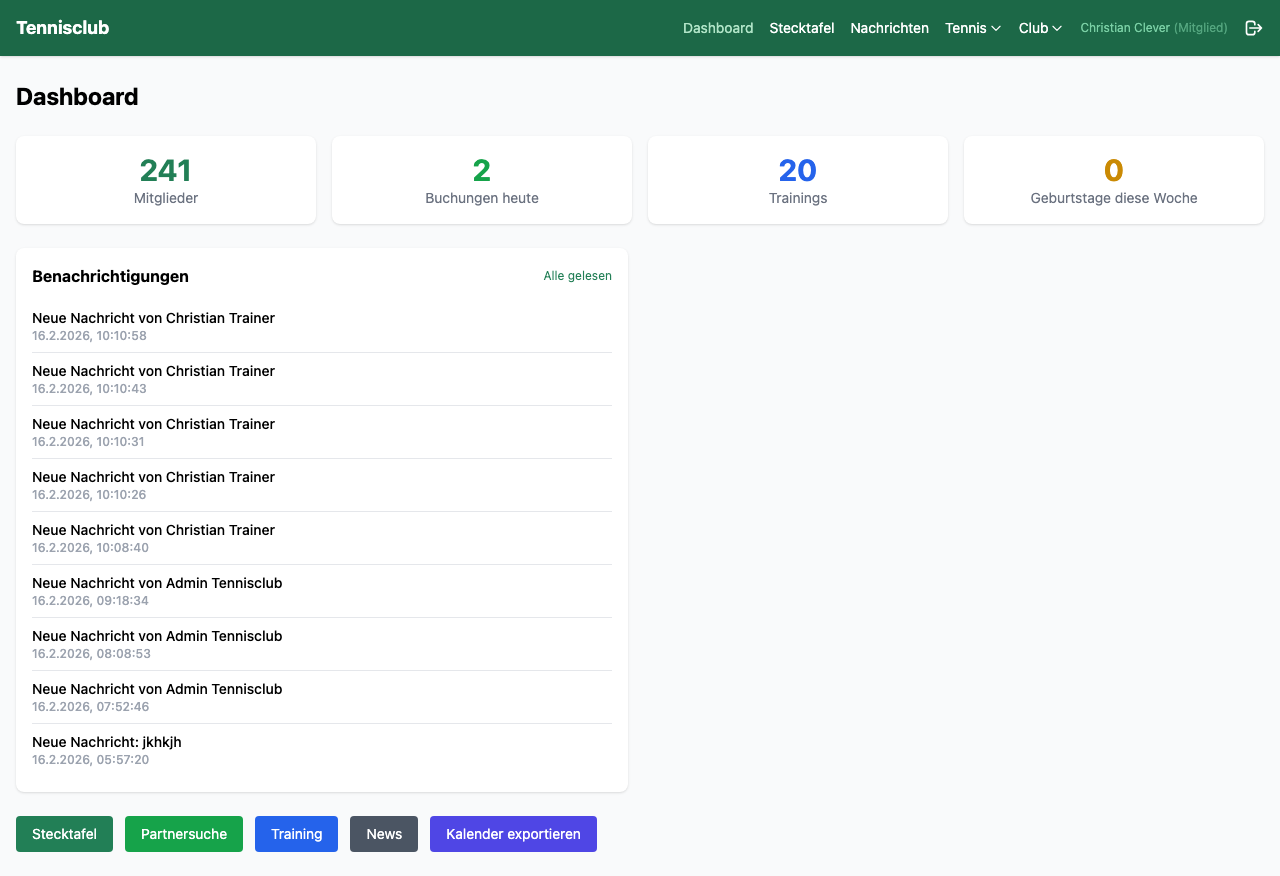
The dashboard is your command center. After logging in, you immediately see everything that's happening in the club – at a glance, without clicking.
- Member count and today's bookings as live numbers
- Upcoming training sessions – your next appointments at a glance
- Birthdays this week – so you never miss a congratulation
- Notifications – new messages, bookings, club news
- Log match result – record the score right after the match
Via the iCal export, import all your bookings directly into Google Calendar, Apple Calendar or Outlook.
Digital Court Board
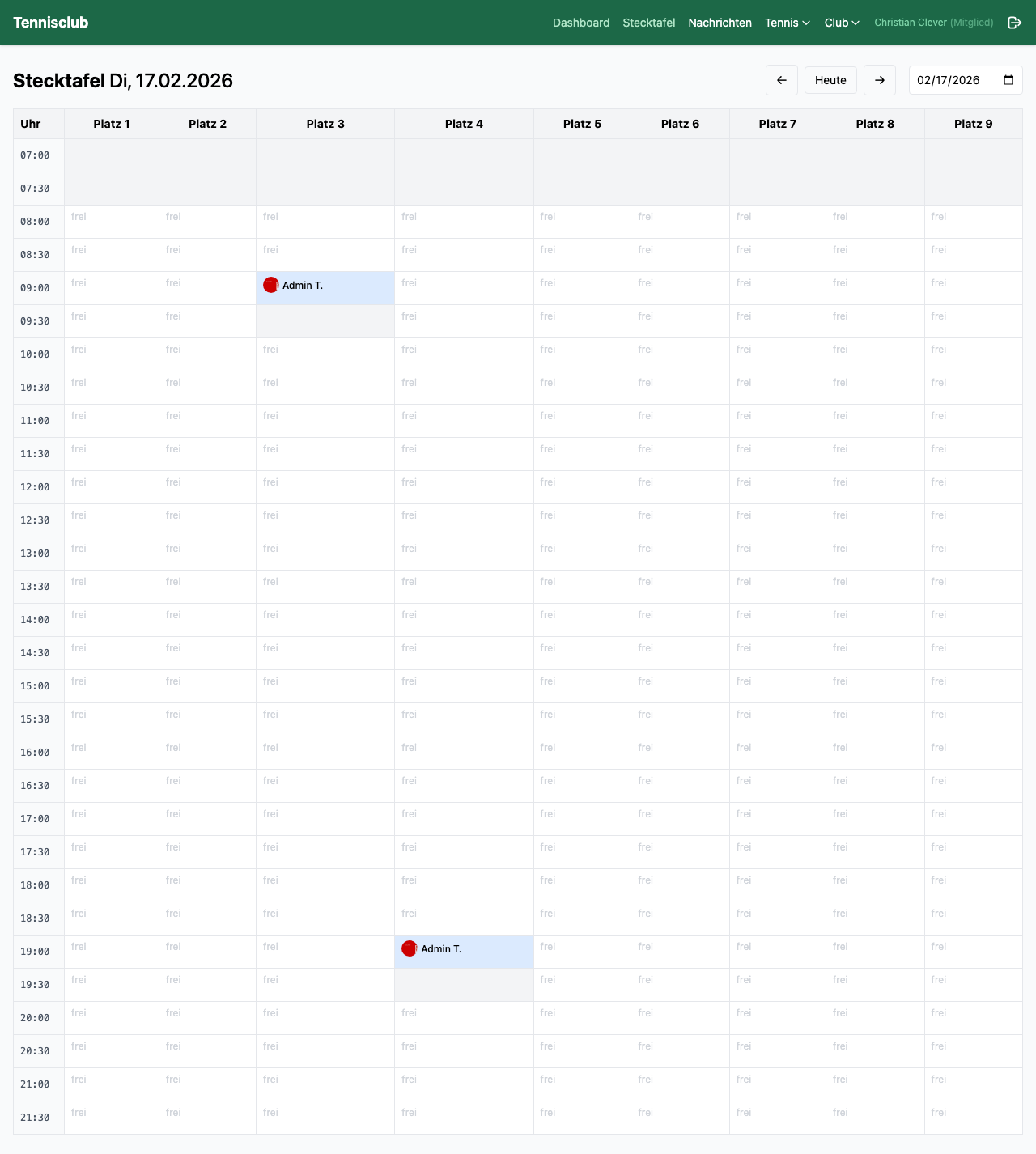
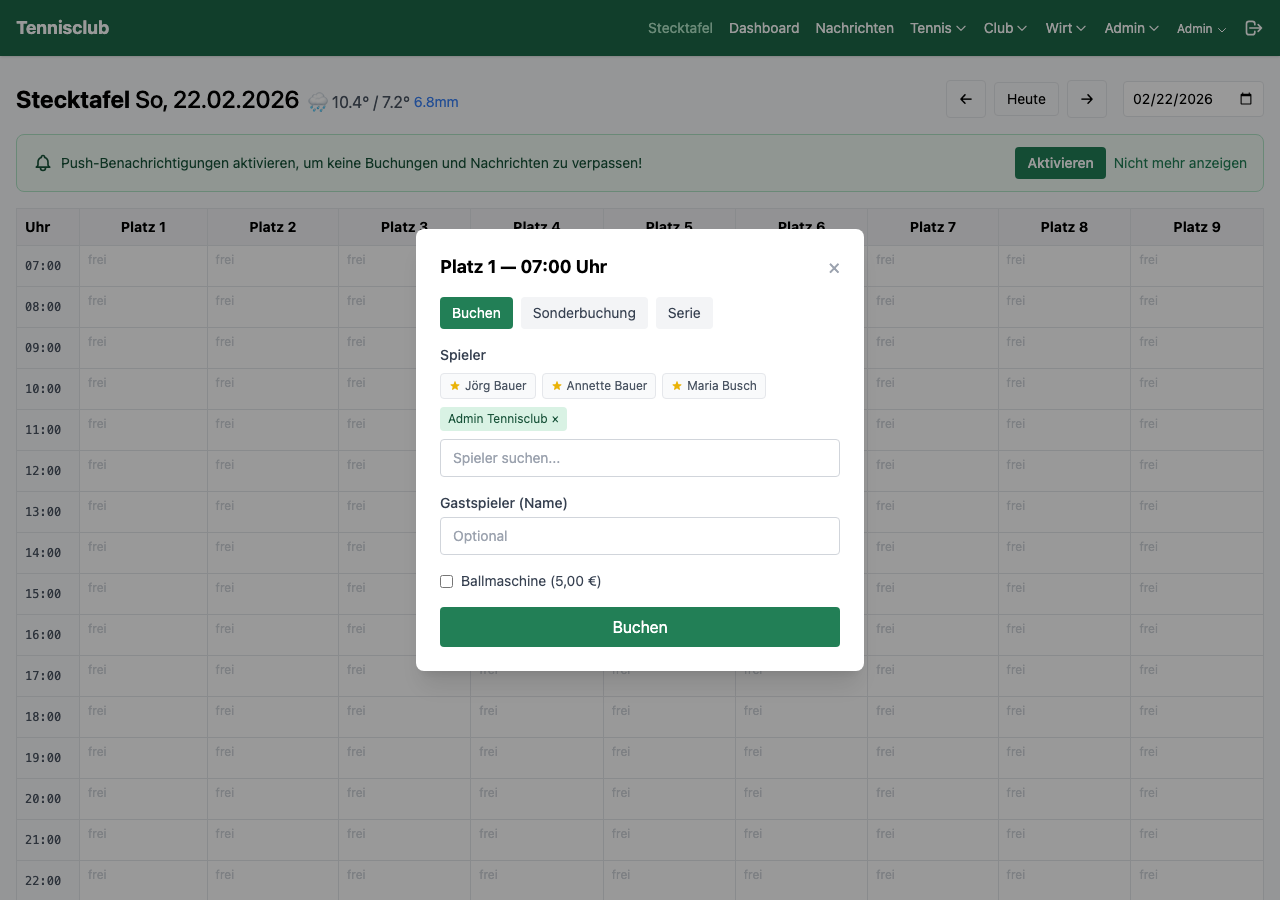
The court board is the heart of courtpilot. It displays all courts and time slots of the day in a clear table – just like the physical court board at the clubhouse, but digital and in real time.
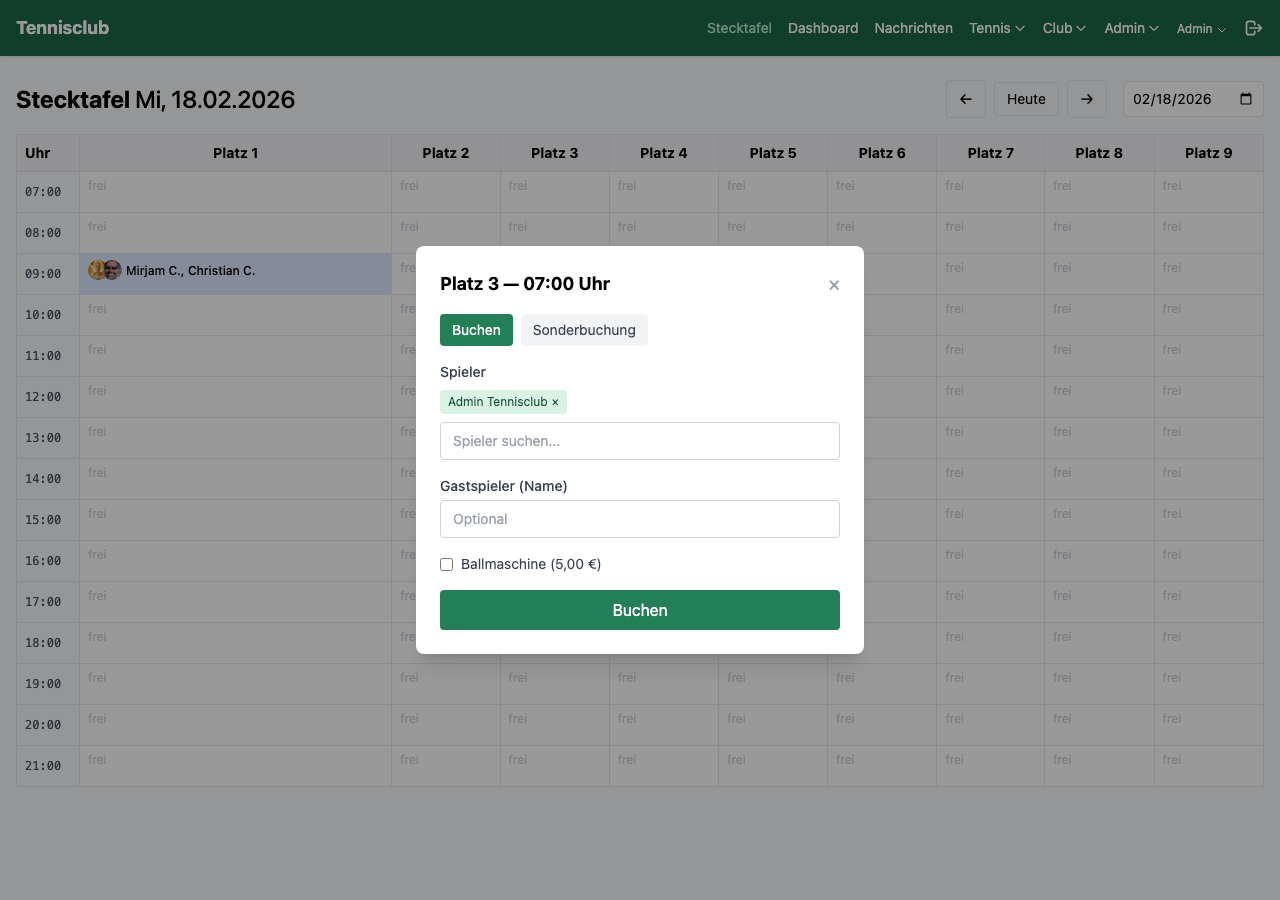
Simply click on a free cell, optionally select a playing partner, and book. The booking appears instantly for all members who are currently online – thanks to real-time synchronization via WebSockets.
7-day forecast with icon, temperature and precipitation directly on the court board.
Displacement rule and evening limits ensure fair court distribution.
Mark frequent playing partners as favorites and select them with one click when booking.
On mobile, initials are automatically displayed instead of full names.
Training Management
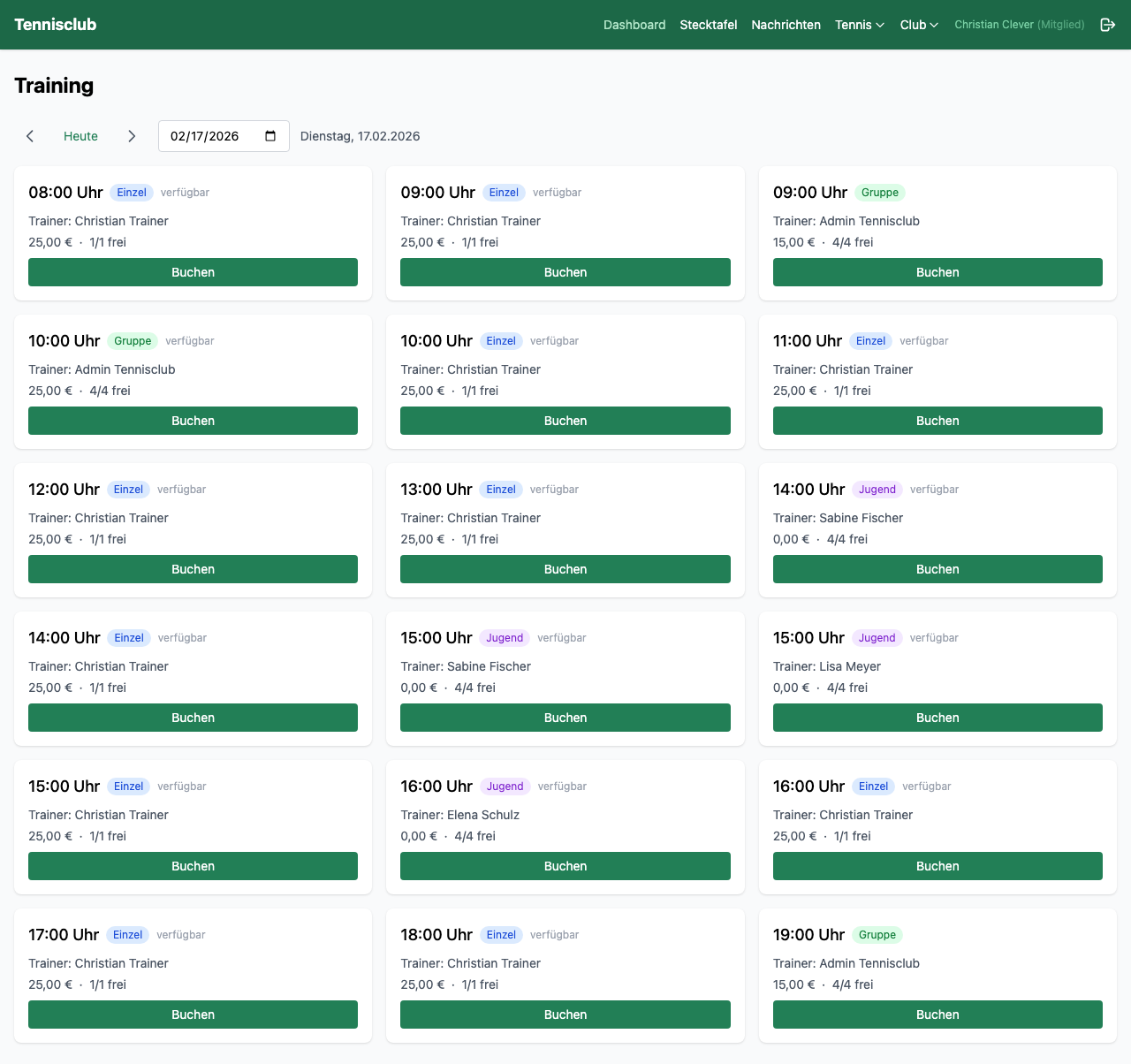
In the "Training" section, members see all available training offers at a glance. Pick a date, view available coaches and slots, and book your training session with one click.
Each slot shows the coach, time, type, price and available spots. Coaches manage their weekly schedule themselves via a clear timetable – including copying, activating and deactivating individual slots.
Three Training Types
Cancellations are possible at any time – training costs are automatically credited back.
Training Groups
Fixed training groups put an end to manual organizing. The coach creates a group, assigns students – and from then on, everything runs automatically.
Once a member is assigned to a group, trainings are automatically booked on the court board for the next 4 weeks. The system checks daily whether new weeks need to be booked and creates them automatically.
- Automatic court booking 4 weeks in advance
- Dedicated group chat for each training group
- Members see coach, schedule, court and fellow players
- Add/remove students with automatic chat update
Teams & League Matches
Complete team management for your league matches – from team lineup to final results. Everything in one place, instead of scattered across WhatsApp, Excel and paper.
Team Management
Create teams with name, league and season. Add players, assign captain. Each team automatically gets its own group chat.
Availability Polling
Players respond with one click: Yes, Maybe or No. The overview table instantly shows who is available – no follow-up needed.
Lineup & Results
Set up 6 singles and 3 doubles, enter opponents, record set scores. The overall result is calculated automatically.
iCal Calendar Subscription
All league matches as calendar subscription in Google Calendar, Apple or Outlook. New matches and results are automatically updated.
Team Chat
Each team has an automatically created group chat. New players are added, removed players are removed – without manual effort.
Role-Based Permissions
Clear permissions: players report availability, captain sets lineup and enters results, admins manage teams.
Tournaments
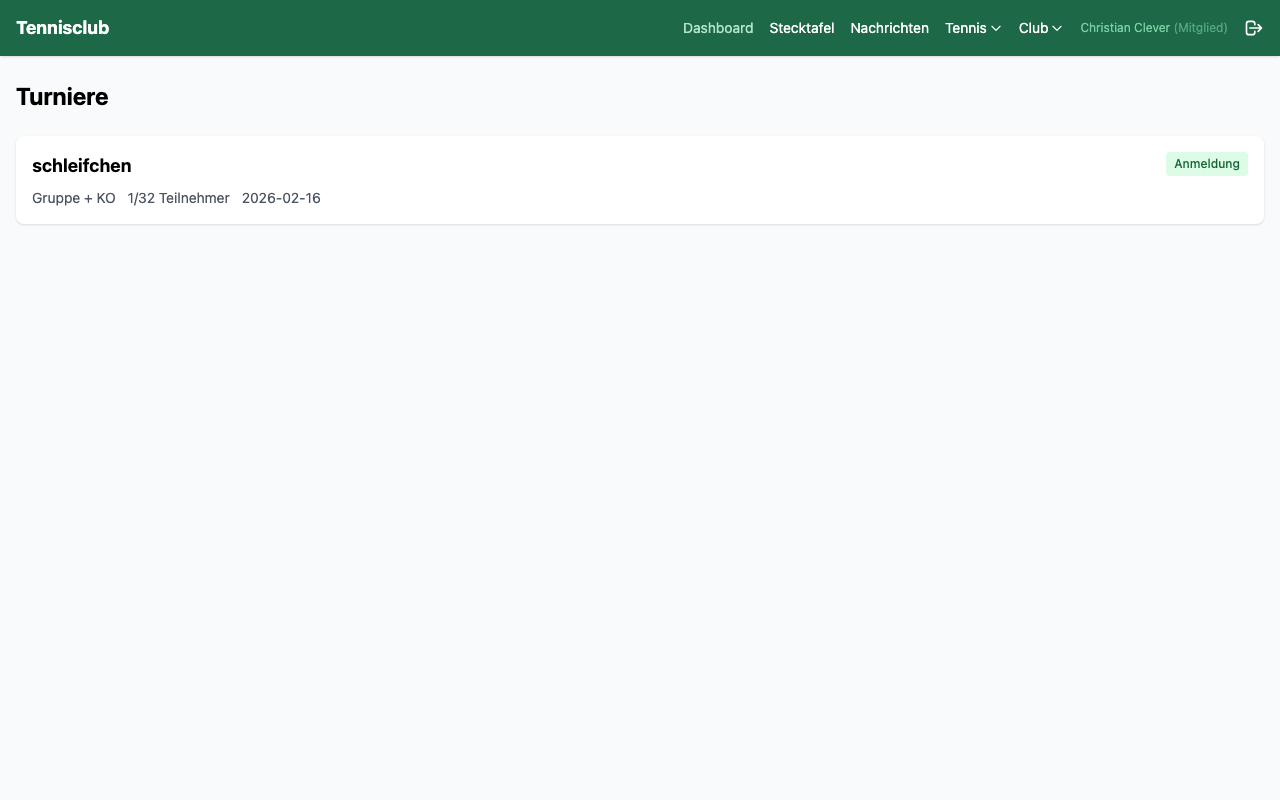
Whether club championships, season opener tournament or club party with tennis competition – with courtpilot you organize all tournaments digitally. No paper, no bulletin board, no paperwork.
Members see all upcoming and past tournaments in a clear list. One click takes you to the detail view with participant list, match schedule and results. Registration is done directly via the app – the admin immediately sees who's participating.
- Create tournaments with date, format and details
- Online registration for members
- Participant list, match schedule and results
Messages & Push
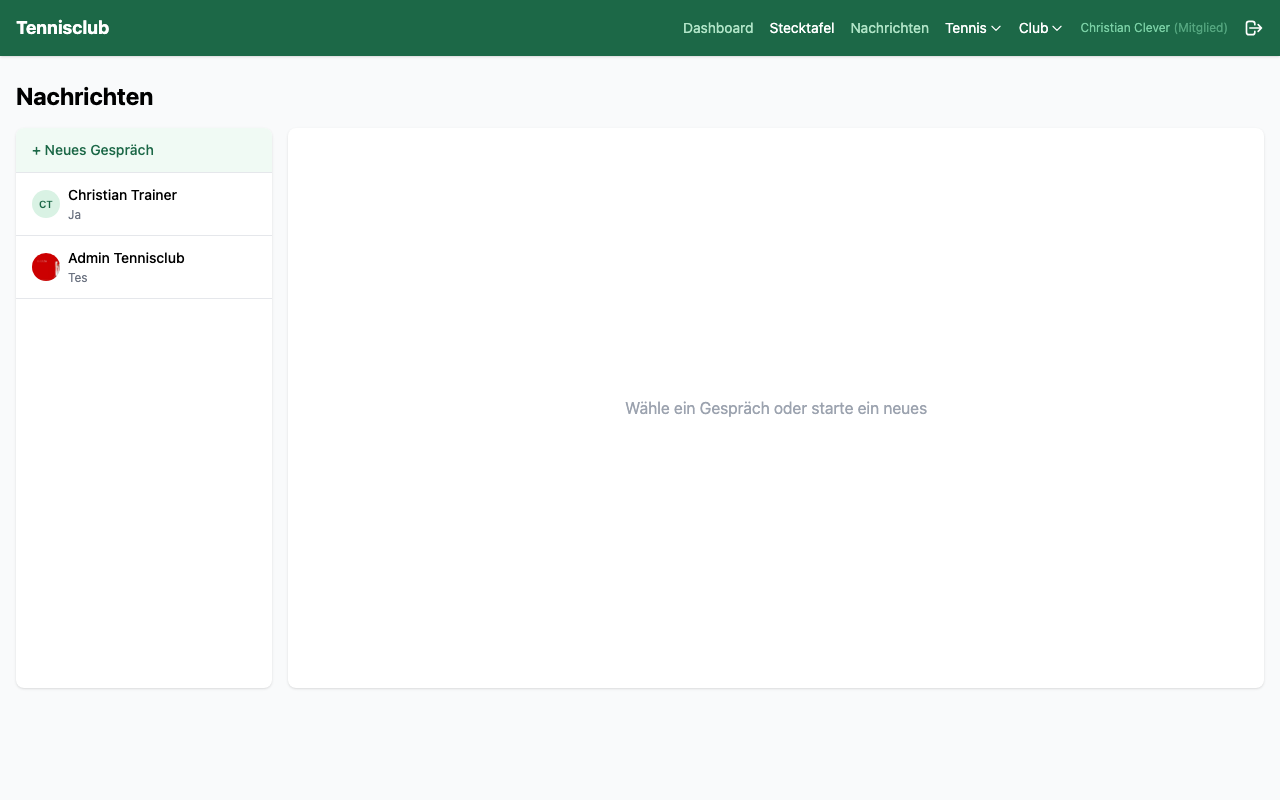
No more club WhatsApp groups. courtpilot has an integrated messaging system – for direct messages and group chats. Right in the app, without sharing private numbers.
Group chats are automatically created when a coach sets up a training group or a team is formed. All relevant members are instantly included. New players are automatically added, removed players are removed.
- Direct messages between any members
- Group chats for teams and training groups
- Push notifications – even when the app is closed
- Real-time delivery – messages appear instantly
Partner Finder
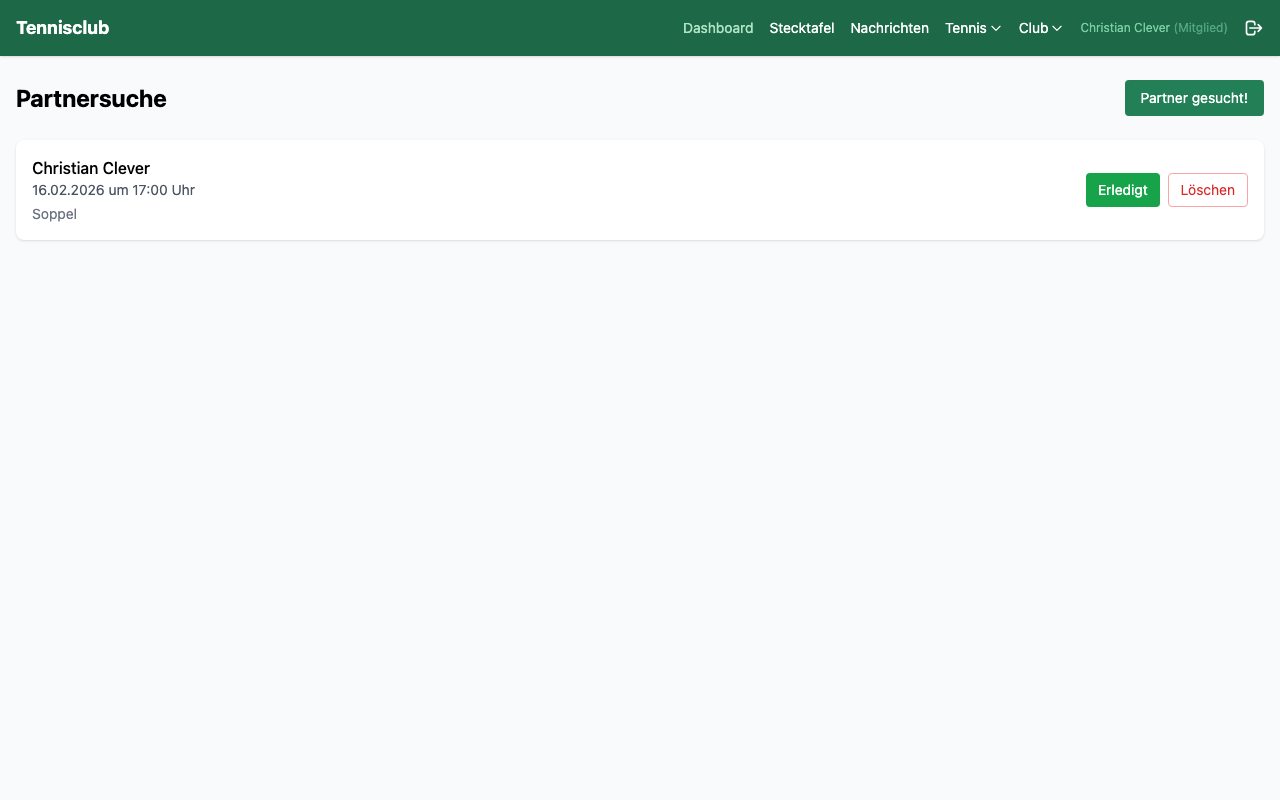
Want to play a match but no partner in sight? With the partner finder, you can find a suitable playing partner from your club at any time.
Create a request with date, time and desired skill level. Other members see your request and can respond. Or browse through existing requests and react to matching offers. Nobody has to stand alone on the court anymore.
- Partner requests with date and skill level
- Respond to existing requests from others
- Favorites system for frequent playing partners
Invite Guest Players
Want to play with a friend who is not a club member? No problem – invite them as a guest player. No registration, no login required.
When booking a court, simply enter the guest's name. After booking, a QR code and link are generated that you can send to the guest via WhatsApp, email or SMS. The guest opens the link and immediately sees the booking details – which court, when and with whom.
Guest Fee
The administrator can configure a guest fee (e.g. 5 €). This is automatically charged to the inviting member via the billing system.
Statistics & Match Result Tracking
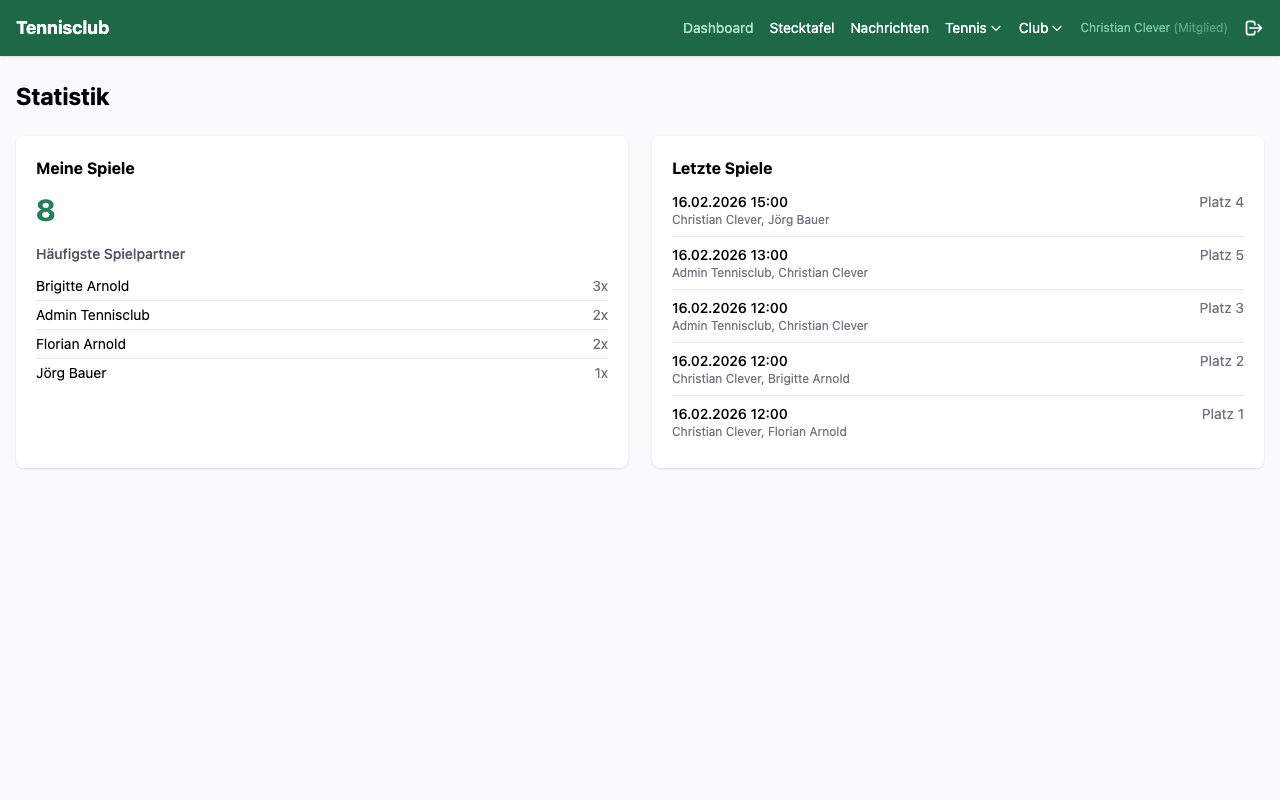
How often do you play? When do you prefer? On which court? courtpilot analyzes your booking history and shows you your personal playing patterns.
After each singles match, you can enter the result – winner, sets and scores. These results feed into the club ranking and are counted in your personal record.
- My matches – total count and most frequent partners
- Favorite time & court as bar chart (Top 3)
- 24-month overview of your playing activity
- Year comparison – this year vs. last year in percent
Rankings
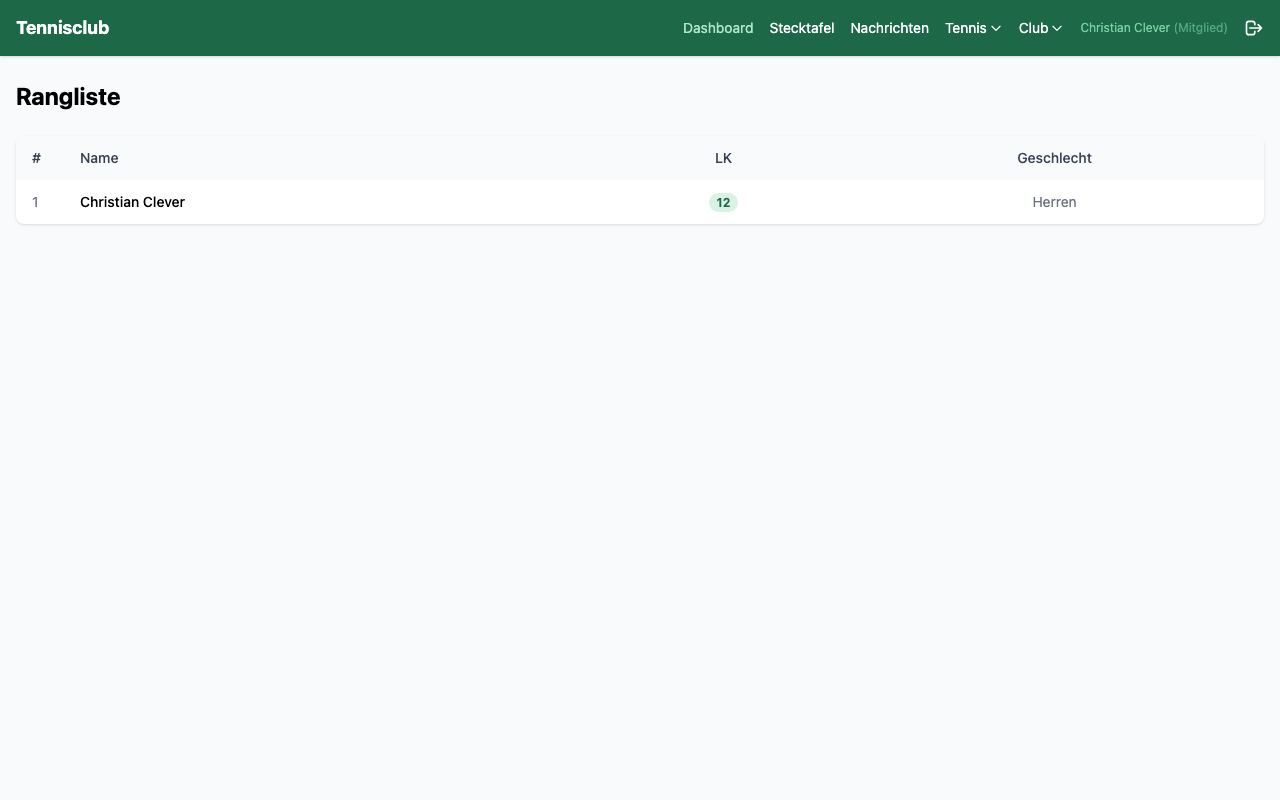
The club ranking sorts all members by skill rating (LK). This lets you see at a glance how you compare to your fellow club members.
Besides the skill rating, the ranking also shows the match record – e.g. "12W / 5L" for 12 wins and 5 losses. This record is derived from the entered match results and is automatically updated.
Match results can be entered after each singles match (exactly 2 players) directly via the dashboard – within 7 days of the match.
Billing
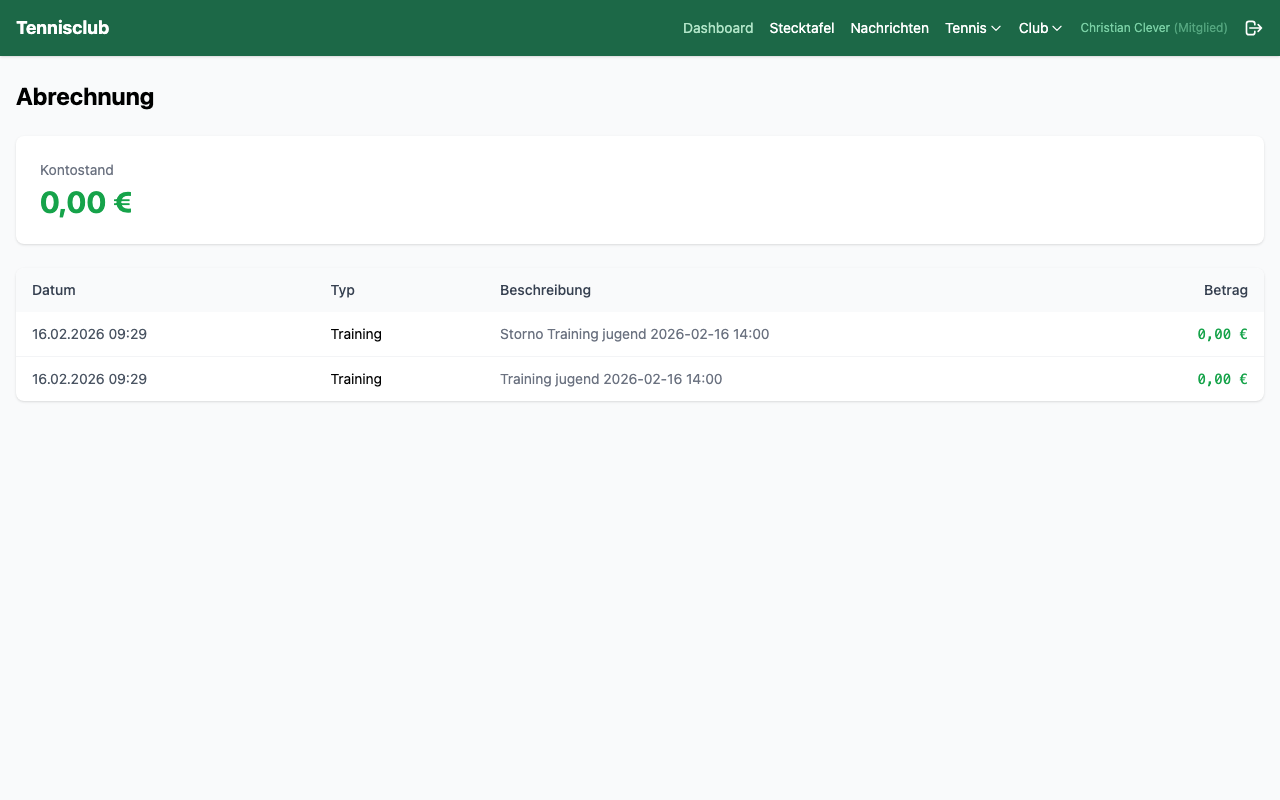
Each member has a personal finance account. Training costs, guest fees and clubhouse orders are automatically posted. Cancellations automatically generate credits.
The transaction history shows all postings clearly with date, description and amount. Admins can manage SEPA mandates and make manual corrections. This way the club keeps its financial overview without maintaining Excel spreadsheets.
- Automatic billing of training costs
- Transparent transaction history for each member
- SEPA mandates and data export for admins
Clubhouse
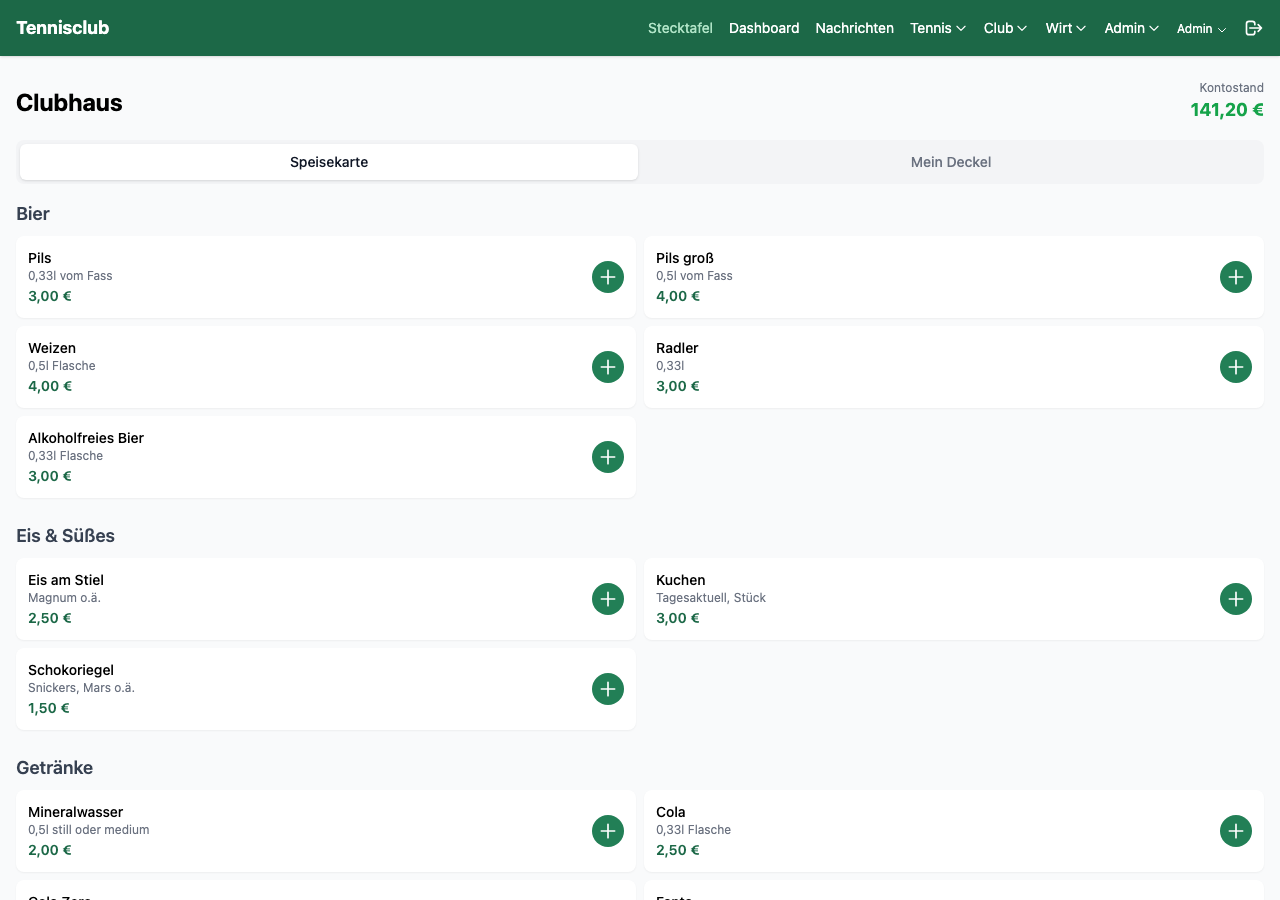
The digital clubhouse transforms your venue into a modern dining operation. Members order via the app directly from the menu – the bar manager sees the order in real time on their dashboard.
It works via a tried-and-tested tab system: members load credit (cash payment at the bar) and order via the app. Costs are automatically deducted from the balance. Optionally, guests can also add a tip.
Browse the menu, order, check balance. All in the app.
Real-time orders with sound alert, manage menu, record cash deposits.
Volunteer Hours
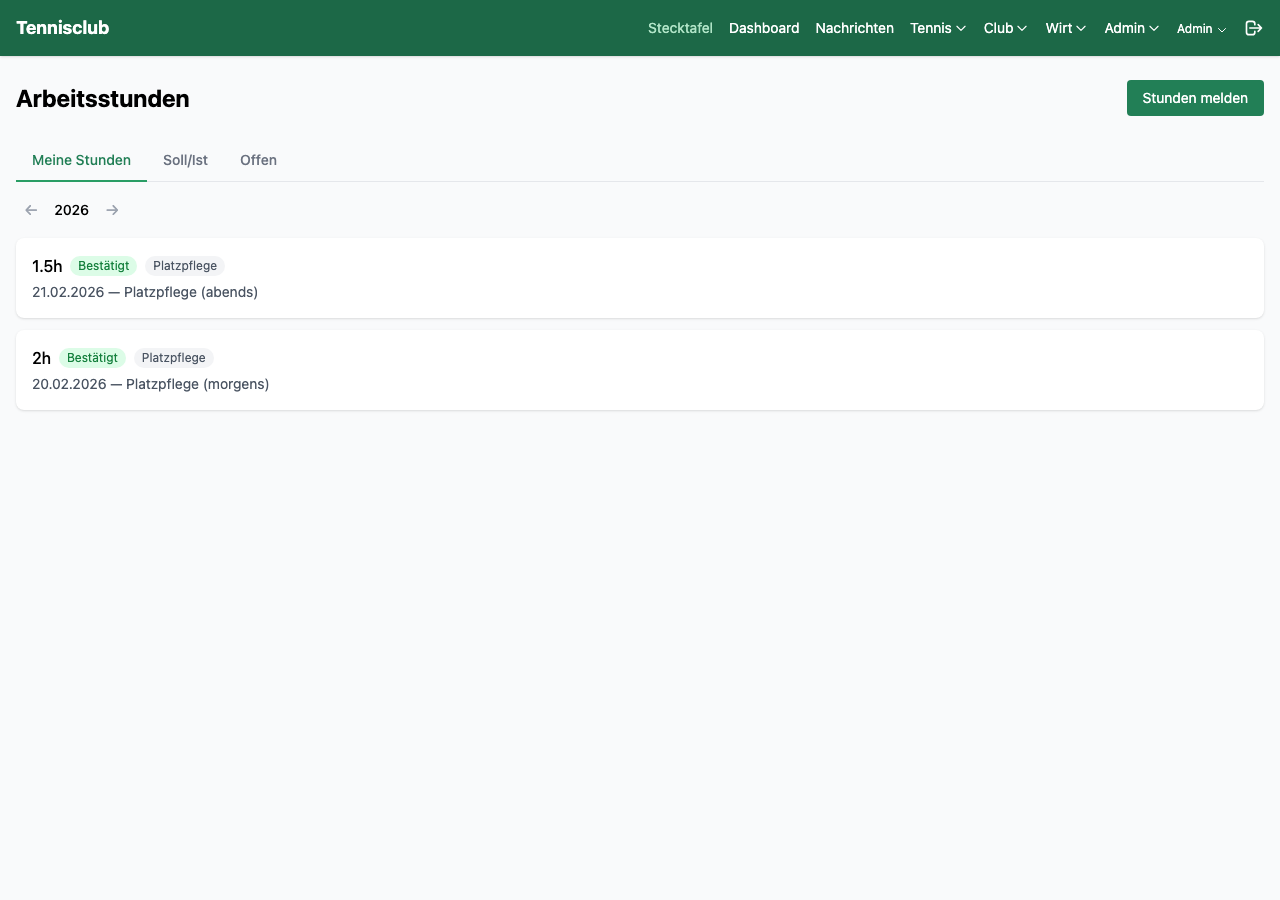
Many tennis clubs require their members to complete a certain number of mandatory hours per year. courtpilot digitizes the entire process – from logging to approval.
Members log their completed hours with date and description (e.g. "trimmed hedges"). The hours initially land with "pending" status in the system. The admin reviews and confirms or rejects them. Each member can see at any time how many hours they have completed and how many are still needed.
- Log hours with date, duration and description
- Three-stage status: pending, approved, rejected
- Annual overview: completed vs. required hours
Court Maintenance
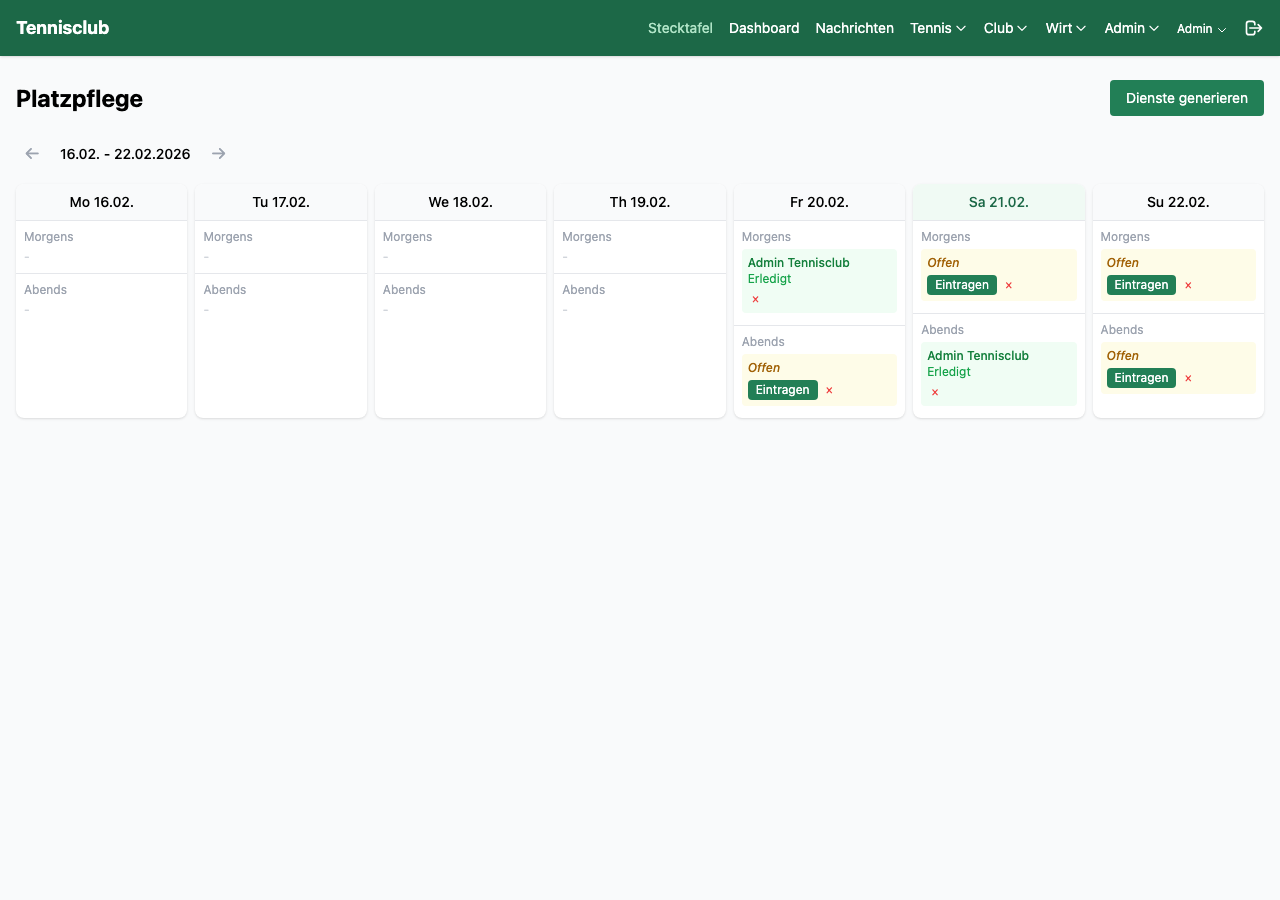
Who rolls the court? Who sweeps the lines? The digital court maintenance roster organizes who maintains the tennis courts and when – fairly and clearly.
The calendar shows all assigned duties. Members sign up for available duties and mark completed tasks as "Done". The completed hours are automatically credited as volunteer hours – one less entry to make manually.
Events & Activities
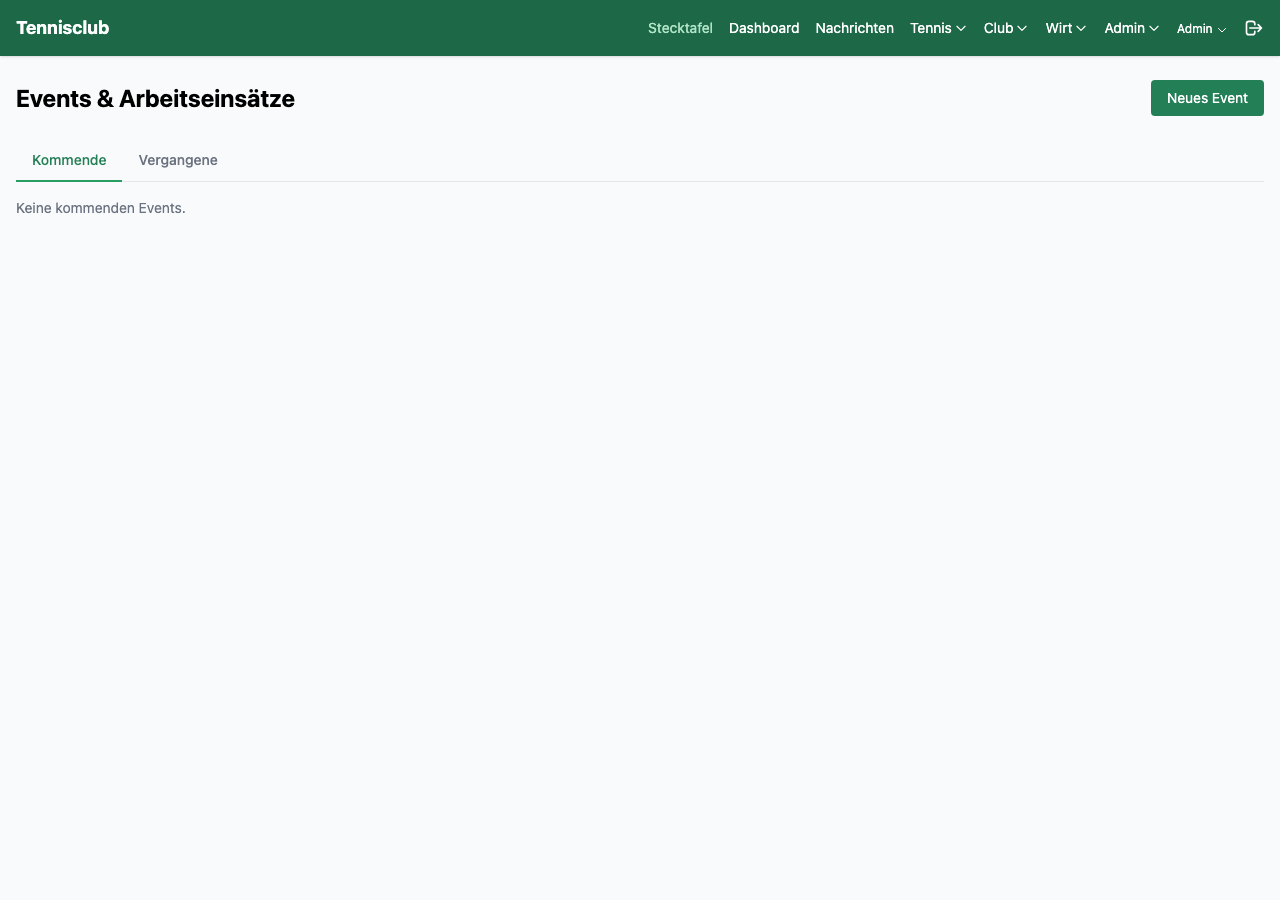
Whether barbecue evening, summer party or group work day – with the event system you organize your club life digitally. No paper lists, no Doodle polls.
There are two event types: Social events for gatherings and Work days for joint club work. For work days, volunteer hours are automatically credited to all participants after completion.
- Create events with details and description
- Online registration with participant list
- Automatic volunteer hours credit for work days
Trial Training
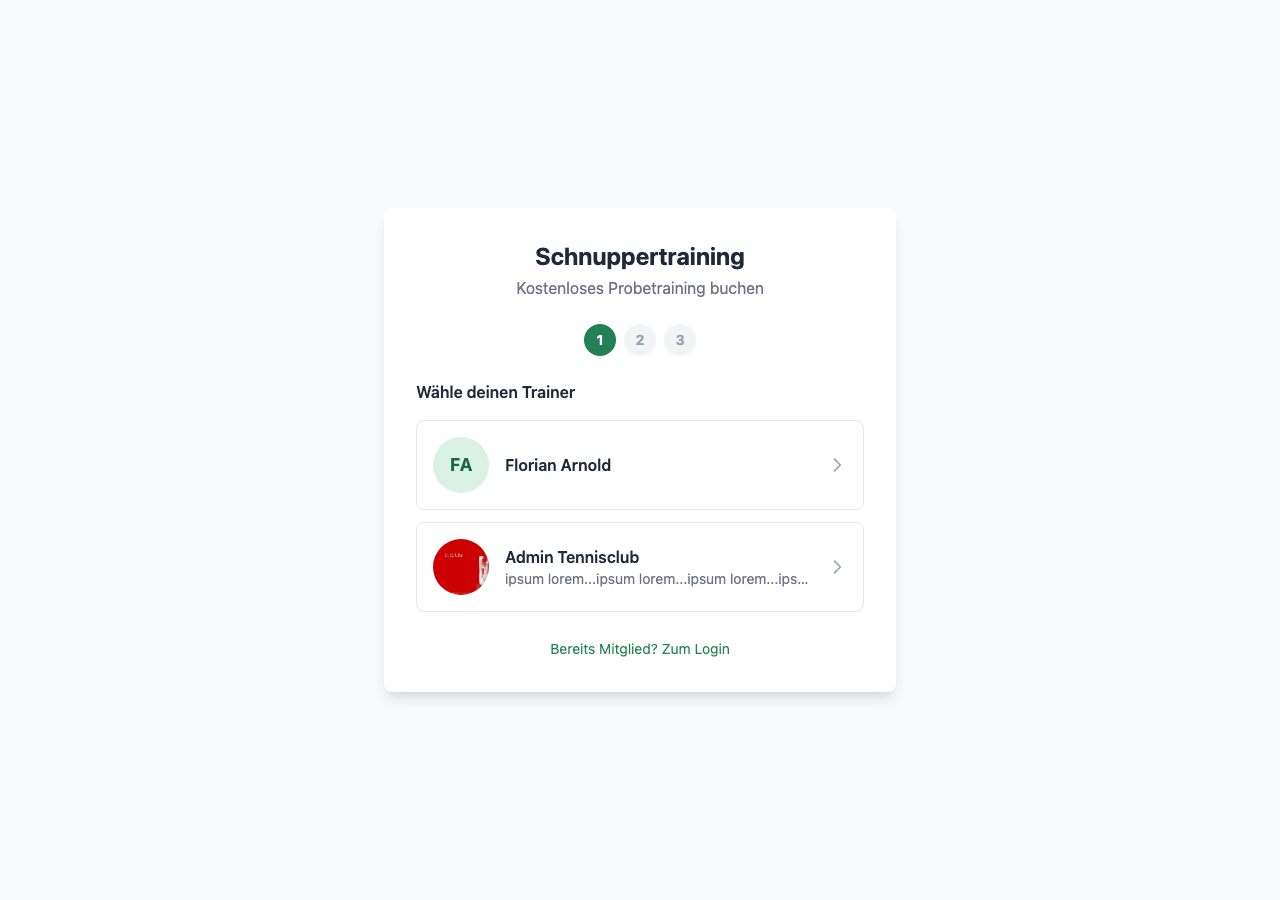
Acquire new members – completely effortlessly. Interested players can sign up for a free trial session without login and without registration.
The public sign-up page shows all coaches offering trial training – with photo and description. Prospects choose a coach, pick an available slot from the next 4 weeks, and fill out a short form.
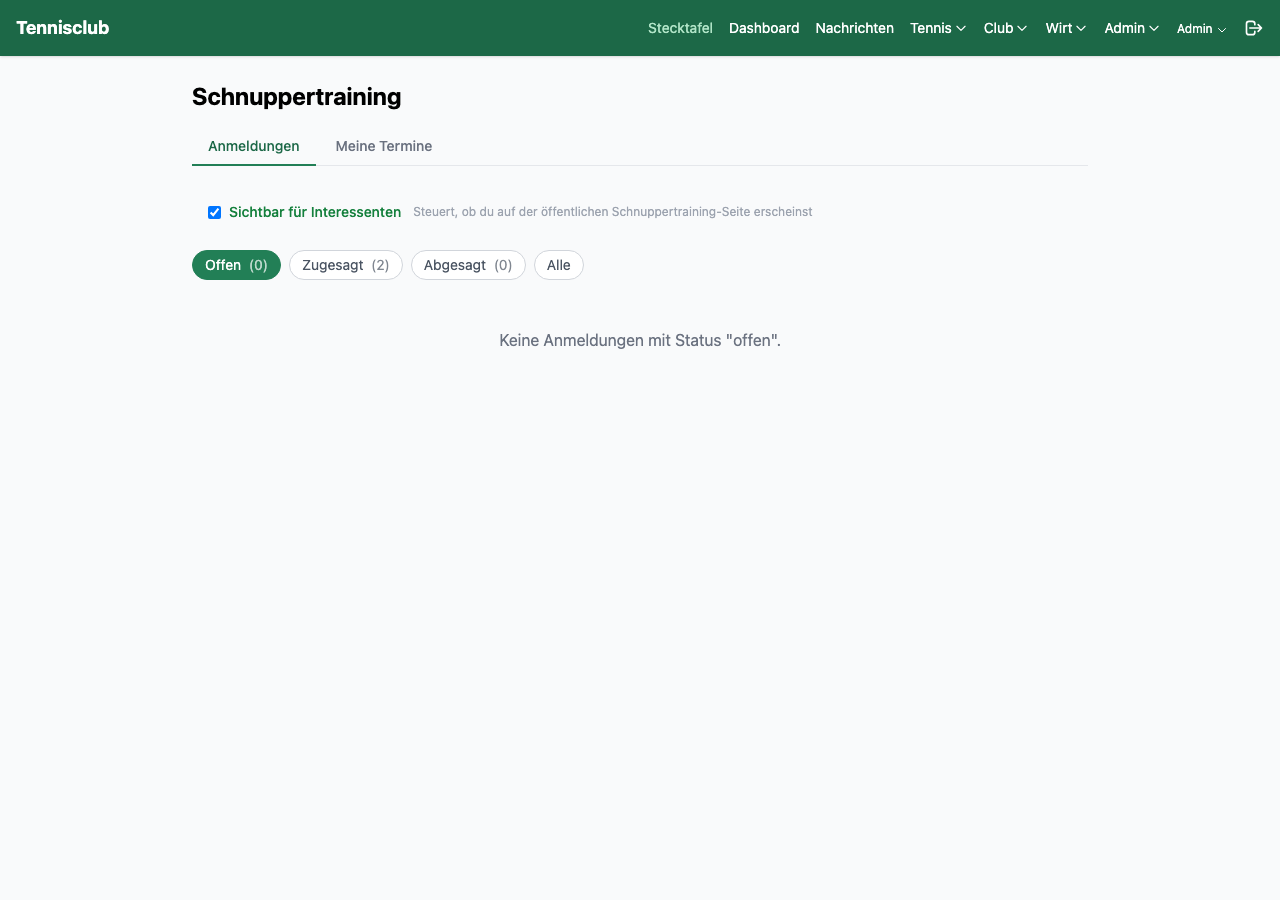
The coach is immediately notified via push notification and email and can directly accept or decline. The prospect receives an automatic confirmation email. Admins configure limits (e.g. max. 3 trial sessions per person).
Youth Training
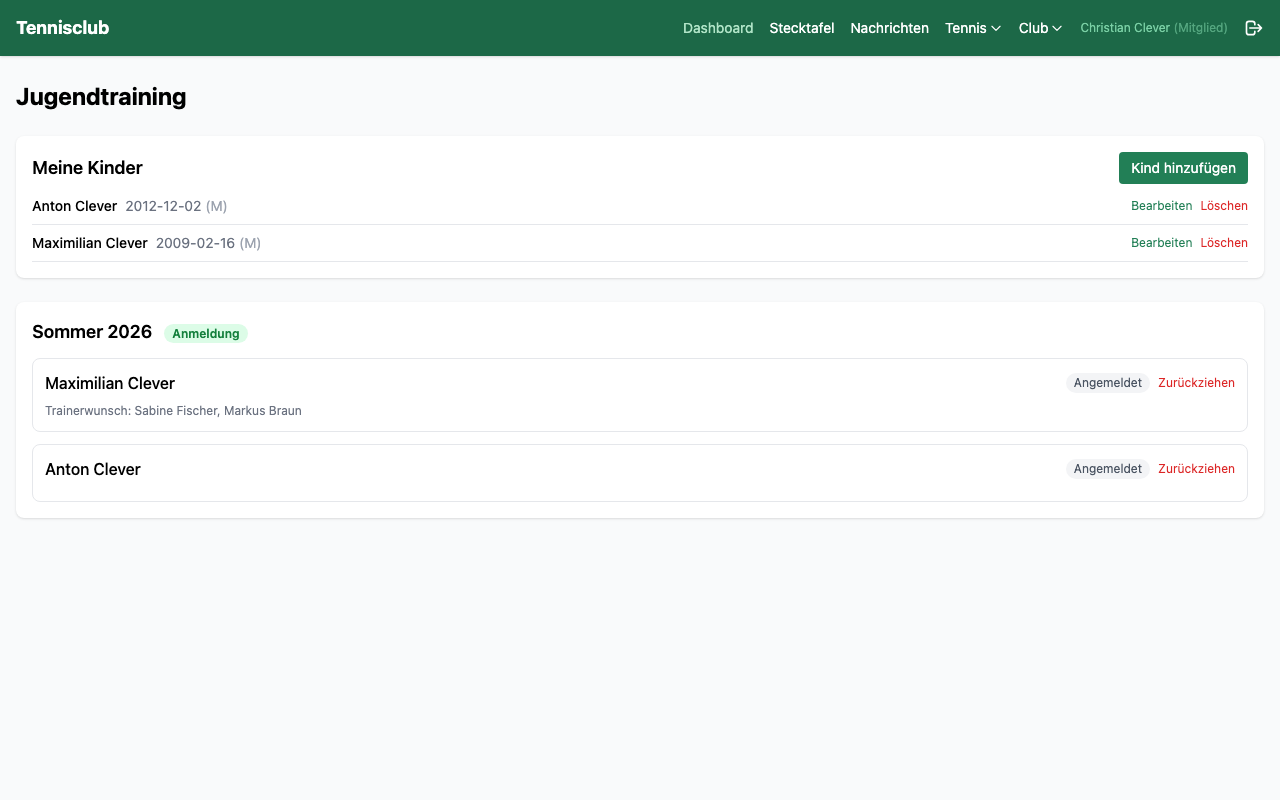
The youth program makes organizing youth training easy for parents, coaches and admins. Parents register their children, the admin assigns the groups, and off you go.
Parents enter their children with name, age and playing experience, and specify available days and preferred coaches. After group assignment by the admin, parents can see which group their child is in – with coach, day, time and fellow players.
- Season registration with availability and preferences
- Group assignment by age and skill level
- Import/export of entire seasons as JSON
Kiosk Mode
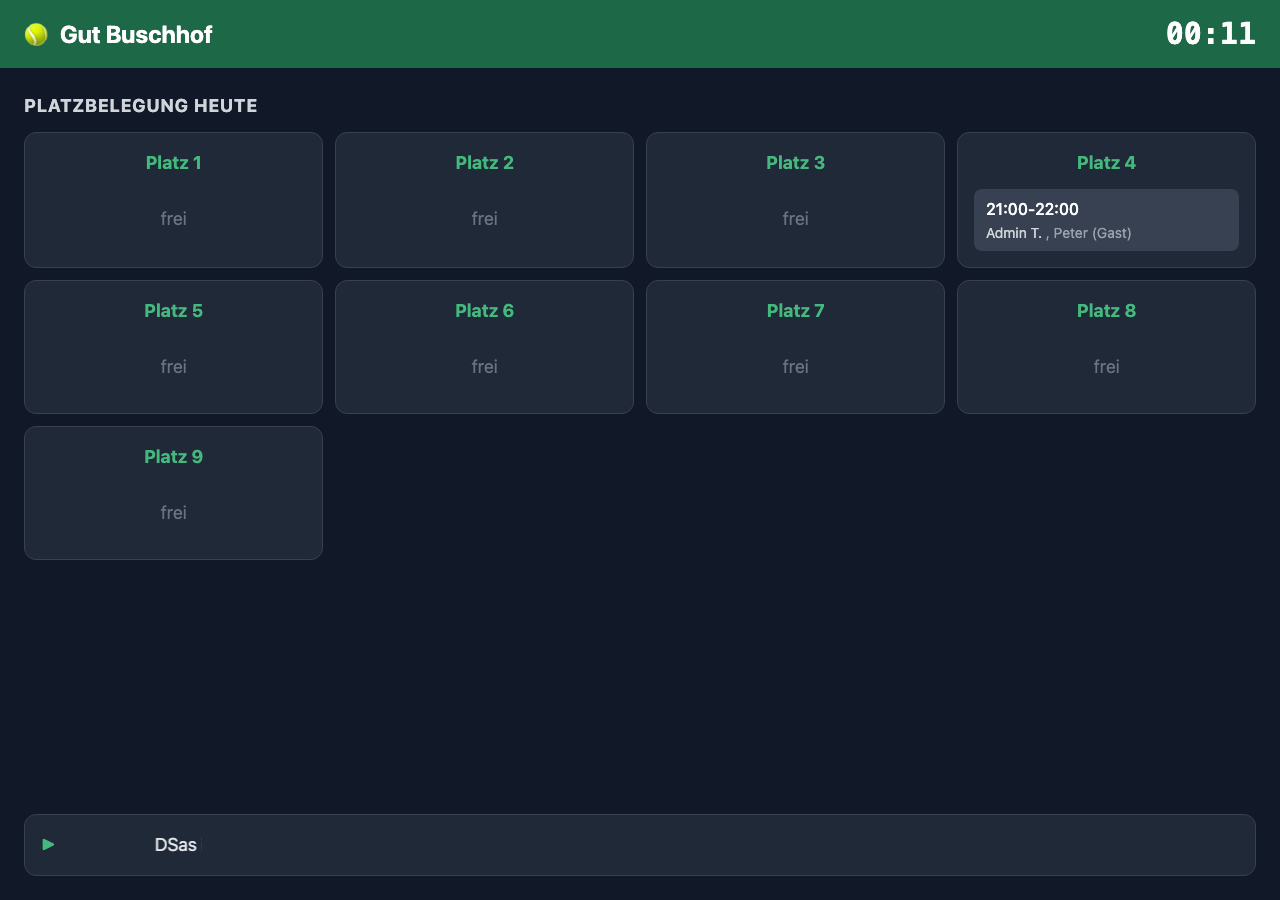
A tablet or monitor in the clubhouse becomes a live information board. Kiosk mode shows the current court occupancy, upcoming events and a scrolling ticker with announcements – all in a beautiful fullscreen view.
Setup is simple: the admin activates the feature, assigns a token and opens the link on the device. No login needed, the data updates automatically in real time. The ticker text can be changed at any time via the settings.
ChatGPT Integration
The future of court booking. With the ChatGPT integration, you book courts simply by voice command – as naturally as texting a friend.
Ask ChatGPT which courts are free tomorrow, book Court 3 at 10 AM with Thomas, or cancel your booking from yesterday. The AI understands natural language, accesses the club data and performs the action directly – all via chat.
- Check available courts via chat
- Book courts via natural language command
- Cancel bookings via chat
- Natural language – no learning required
Hlasový asistent
Stačí mluvit místo psaní. AI hlasový asistent rozumí přirozené řeči a provádí akce přímo – s potvrzením před každou akcí.
Stačí jedno klepnutí na tlačítko mikrofonu: „Rezervuj zítra v 15 s Tomášem“, „Objednej dvě piva“ nebo „Přidej jablečný džus za 3,50 do menu“. Asistent analyzuje požadavek pomocí AI, zobrazí shrnutí a čeká na vaše OK. Poté přečte výsledek.
- Rezervujte, zrušte a přesuňte kurty hlasem
- Objednávky v klubovně: „Dvě piva a kolu“
- Správa menu: „Přidej ležák v 0,3l a 0,5l“
- Hlasový výstup – asistent odpovídá pomocí TTS
- Fonetické rozpoznávání – rozumí i nejasné výslovnosti
Hlasový asistent
Poslouchám...
Menu: Přidat Ležák 0,3l (3,90 €) a Ležák 0,5l (4,90 €) jako nápoje?
Rezervovat, zrušit, objednat, spravovat menu
Přihlášení mládeže
Konec papírových formulářů a e-mailového chaosu. Rodiče mohou pohodlně přihlásit své děti online na nový sezónu – z jakéhokoli zařízení, kdykoli.
6-krový průvodce vede přes jméno, věk, herní zkušenosti a dostupnost. V jednom přihlášení lze zaregistrovat více dětí. Pro každé dítě lze uvest preferované trenery a požadované tréninkové dny. Optimalizátor skupin AI bere v úvahu všechny údaje a automaticky rozdělí skupiny.
- Veřejný přihlášovací odkaz – rodiče nepotřebují přihlašovat
- Více dětí na přihlášení, pořadí čekání při plných sezónách
- AI optimalizátor rozdělí skupiny podle věku, úrovně a dostupnosti
- Vložitelné na web klubu jako JS widget
Správa financí
Od pokladníka po představenstvo – courtpilot dává klubové finance do pořádku. Vytvářejte, posílejte, platěte a tiskněte faktury jako PDF – vše přímo v prohlížeči.
Každá faktura je propojena s členskou účtem. Otevřené položky jsou automaticky sledovány, po sobě jdoucí faktury označeny. Přehledný účetní osnova zajišťuje sporádné účetnictví.
- Vytvářet, posílat (e-mail) a tisknout faktury jako PDF
- Označit jako zaplaceno, stornovat – úplná historie faktur
- Automatické označení po splatnosti po konfigurováných lhůtách
- Účetní osnova s 8 předdefinovanými účty
Tvůrce webu s umělou inteligencí
Každý tenisový klub si zaslužuje profesionální web. Se zabudovaným tvůrcem webu s AI vytvoří admin během několika minut atraktivní klubový web – bez znalosti programování.
Vyberte ze 4 šablon designu, nahrajte logo, upravte primární barvu – a AI automaticky vygeneruje všechny texty ze skutečných dat klubu: otevírací doby, trenéři, tréninková nabídka, akce. Plný HTML editor umožňuje pozdejší úpravy.
- 4 šablony designu (Modern, Classic, Sporty, Pilot)
- AI generuje texty z live dat (trenéři, akce, otevírací doby)
- HTML editor (styl VS Code) pro individuální úpravy
- Správa stránek & menu, kontaktní formulář s automatickým přesměrováním
- Veřejně přístupné – návštěvníci nepotřebují přihlašovat
Convinced?
Start for free with the Starter plan and discover how courtpilot simplifies your club's daily operations.